Every Claude skill I actually run, zipped. Download one, drop the folder in ~/.claude/skills/, and it is available in your next session.
STORM
Deep research, with every source checked
Researches a topic from many angles at the same time, then writes you one report. Before you read it, it opens every source it wants to quote and marks each one as confirmed, corrected, or dropped.
Fuse
Answers your question several ways, then picks the best
Works on your question from a few different directions at once, then compares the answers and keeps the strongest one. It picks a winner, it does not blend them together.
Stochastic
Finds what you missed, worst thing first
Looks at your topic from many separate angles that cannot see each other, then lists what you might be missing. The list is ordered by how badly each one would hurt if it turned out to be true.
Premortem
Pretends your plan already failed, then tells you why
You describe your plan. It assumes the plan has already gone wrong and writes the seven most likely reasons, in order, each with a rough timeline and the early warning sign you would have talked yourself out of.
Plan Canvas
See the plan as a page instead of reading it
When the thing being planned is visual, this builds the plan as a real web page in your project's own colours and fonts, so you look at the options instead of reading about them.
BO Canvas
Move and resize parts of a page, then paste the fix
Opens a screenshot of any section with every part as its own piece. Drag the headline, resize the button, zoom the background picture, then copy a ready prompt that tells your AI exactly what changed.
Layered Parallax Hero
A top-of-page scene with real depth
Builds the big section at the top of a page out of stacked images that move at different speeds as you move the mouse and scroll, so the scene feels deep instead of flat.
BO Teardown
Takes a website apart and writes down how it works
Point it at a site. It saves every image and file, reads the code behind the page, and writes one plain notes file per page describing what is actually there.
BO Rebuild
Builds the site back from the teardown notes
Takes the notes and files BO Teardown produced and builds the site back up from them, page by page.
Emil Kowalski - Skills
Free design and animation skills, from the source
An open collection of skills for designers and engineers, covering interface design and how things should move. Not mine and not hosted here - this opens his own repository.
Nothing here matches "". Try a shorter word.
Checklists and prompt packs you can hand straight to your AI. Open one and the whole thing is right here - read it on the page, then copy it in one click.
The Build Plan Prompt
Make your AI plan the build before it codes
One prompt you paste as your first message. It makes the AI lay out every step from idea to a finished product, hand you a template for each step, and explain all of it in plain words, without writing any code yet or guessing what you are building. Read it here and copy it in one click.
The Pre-Launch Security Checklist
87 checks to run before real users arrive
The list I hand my AI before an app I built with it goes public: access, logins, roles, spending limits, uploads, AI features, headers, secrets, the server, the legal pages, and money. Every item says what it is in one line, so you can tell your AI what to fix. Read the whole thing here, then copy it in one click and paste it into your AI.
Nothing here matches "". Try a shorter word.
Guides and write-ups from what I have built and studied. Where the frameworks behind one are someone else's, the card says so and links to their original.
Domains, DNS and Hosting 101
A 23-slide class on domains, DNS and hosting
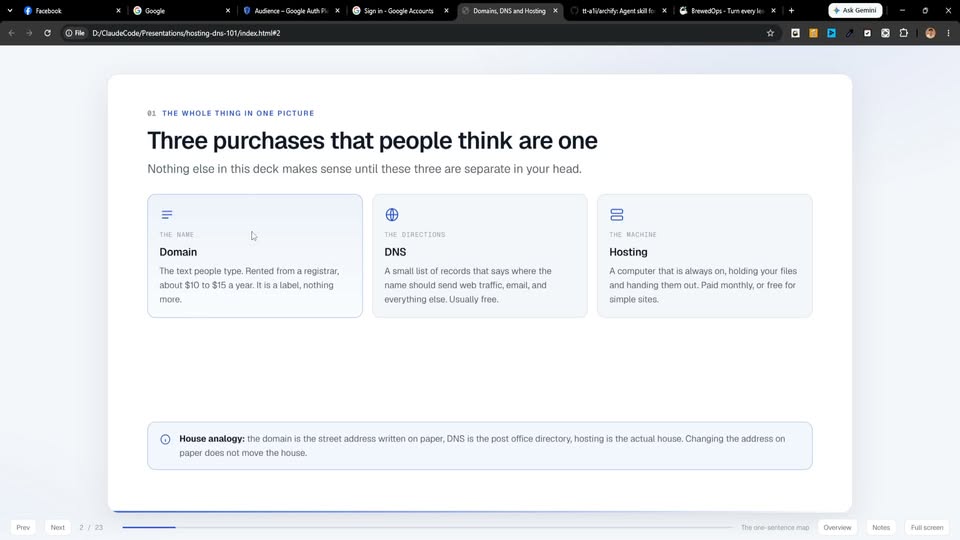
A slide deck that explains, in plain English, what a domain is, what DNS records do, the kinds of hosting, how HTTPS and email fit in, how to move a domain to another company, and what to check when a site will not load. Four of the slides hold a diagram you can click through at your own pace. Unzip it and open index.html - it runs in your browser, nothing to install.
Claude Code Marketing Prompts
Twenty ready prompts for marketing work
Twenty prompt playbooks I wrote up from Nick Saraev's six-hour Claude Code marketing course. Opens as one web page with a search box and a copy button on every prompt, plus a printable PDF for each one.
A step-by-step guide to wiring Meta's Conversions API into GoHighLevel: which event goes where, how it maps to your workflow steps, and the order to build them in.
The Launch Runbook
A step-by-step plan for launching something
My own launch playbook, written up as a runbook: the stages in order, what goes out at each one, and what has to be ready before the next stage can start.